
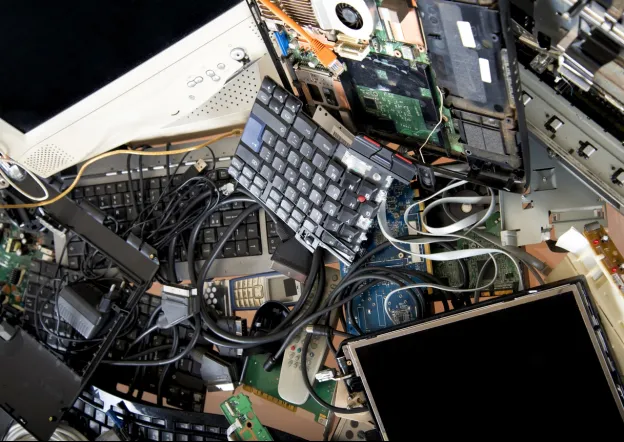
Data storage devices remain inside computers, servers, and office equipment after those systems are retired. Before collection, businesses should identify these devices, protect their information, and prepare them for handover. Hard disk drives, solid-state drives, and external drives may contain confidential records. A clear process reduces the risk of accidental disclosure and makes collection easier to coordinate. When discussing a sale with an IT scrap purchaser in Dubai, explain whether storage devices are included, separated, or retained for secure disposal.
Identify the Storage Devices in Your Equipment
Check which devices contain data. Desktop computers, laptops, servers, network-attached storage units, and backup systems may include internal or removable drives. Record the equipment type, quantity, and visible model information. This review shows what needs attention before the items leave the premises.
Do not judge storage by a device’s exterior. Some systems have multiple drives, removable media, or separate backup units. If details are unclear, ask an authorized IT employee to inspect the equipment. Avoid opening devices or removing components without proper skills and approval.
Create a Separate Inventory for Data-Bearing Assets
A dedicated inventory tracks storage devices through collection. Assign each item a reference number and record its location, associated computer or server, and condition. Note the drive type and capacity where practical, but do not delay if a label is missing.
Keep this record separate from the general equipment list, using matching reference numbers to connect related items. This helps prevent drives being overlooked during packing or assessment and supports internal approvals and data-protection checks.
Decide How Business Information Will Be Handled
Before release, determine whether data must be retained, transferred, erased, or destroyed. Follow the organization’s retention rules, contractual duties, and privacy requirements. Involve IT, security, or records personnel instead of making assumptions about files on retired devices.
1. Confirm Which Records Must Be Kept
Some information may need to remain available for operational, legal, or accounting reasons. Confirm whether relevant files have been transferred to an approved system and whether the transfer has been checked. Keep the original storage device secure until the responsible team confirms that the required information is accessible elsewhere.
2. Identify Sensitive or Restricted Information
Drives may contain customer details, employee records, financial documents, credentials, or internal communications. Identify devices holding sensitive information and apply the designated procedure. Limit access to authorized personnel and do not share passwords or confidential file details during collection discussions.
3. Choose an Approved Erasure Method
Deleting files or formatting a drive may not remove information permanently. Use an organization-approved erasure method suited to the device and its condition. Record the method, date, device reference, and responsible person. If a drive cannot be erased reliably, seek an approved alternative.
4. Consider Physical Destruction Where Required
Some policies or regulatory obligations may require physical destruction rather than reuse. This decision should be made by authorized personnel after considering the sensitivity of the information and the condition of the media. Keep affected devices secured until the approved process has been completed and documented.
5. Retain Evidence of the Data-Handling Process
Keep relevant erasure reports, destruction certificates, approvals, or transfer confirmations. These records help demonstrate that procedures were followed. Store them securely and avoid adding unnecessary sensitive information to the inventory.
Prepare Devices for Collection
After deciding how data will be handled, separate retained drives from those included in the sale. Label each group and use secure containers for loose media. Protect devices from moisture, impact, and handling damage while awaiting collection.
When contacting an IT scrap purchaser Dubai, provide a clear description of the equipment and explain how storage devices will be presented. Confirm whether drives are part of the quoted lot or will be removed before pickup. Do not assume that a buyer’s standard collection process includes certified data erasure or destruction unless this has been specifically confirmed.
Coordinate the Handover With the Collection Team
A planned handover reduces confusion. Share the inventory, confirm the collection location, and identify items that must remain on site. Ensure a staff member can check the equipment against the agreed list. For larger collections, designate one employee to coordinate questions and keep the inventory updated if quantities change. This avoids conflicting information between departments and the collection team. Photograph grouped equipment where useful, but avoid capturing screens or documents containing private information.
For a smoother process, review these points before the scheduled collection:
● Match device labels with the inventory reference numbers.
● Keep retained drives separate from equipment being sold.
● Confirm that required data transfers or erasure steps are complete.
● Identify damaged devices and disclose their condition accurately.
● Record the items handed over and retain a copy of the final list.
Review the Buyer’s Process Before Finalizing
Understand how the buyer evaluates equipment, provides quotations, arranges collection, and completes payment. Ask which categories are accepted and whether loose drives, servers, computers, or mixed assets can be included. Clear details help avoid disagreements about quantities or condition.
An IT scrap service provider should be able to explain its purchasing and collection process in practical terms. However, businesses remain responsible for confirming their own data-security requirements and completing any necessary internal procedures before releasing storage media. Keep commercial arrangements and data protection as two separate checks.
Conclusion
Preparing data storage devices for equipment collection requires careful identification, inventory control, and a clear decision about the information they contain. Businesses should confirm what needs to be retained, use approved erasure or destruction procedures, and document each step. Separating devices according to their status also makes the handover easier to manage and reduces the risk of including a drive by mistake.
For businesses arranging the sale of surplus computers, servers, networking equipment, and other electronics, IT Scrap Buyer offers purchasing and collection services across the UAE. As an IT scrap service provider, the company gives individuals and businesses an option to discuss unwanted IT assets, receive a quotation, and arrange collection followed by evaluation and payment. Sellers should complete their own data-protection checks before handing over any storage device.